Lumari Crest is an independent mobile app comparison platform. We may earn a commission when you click through.
Roblox Companion Apps: 37 Free Picks, Few Truly Legit
All 37 apps are free to install, but the 2.73 average rating shows why Roblox players should check features before downloading.
Every one of the 37 Roblox companion apps in this listing is free to install. That sounds like a win until you see the average rating: just 2.73 out of 5. Free does not automatically mean useful, and the low average is the clearest warning that this category is packed with thin skin galleries, Robux bait, and apps that need a closer look before they earn space on your phone.
There is no paid-versus-free price battle here: the dataset contains 37 free apps and zero paid listings. That means a typical paid price cannot be calculated from the available data. Some listings still show in-app purchases, so “free” mainly means free to download, not necessarily free from upsells.
Top App Developers
iOS vs Android
The free category has a rating problem
As the chart shows, the dataset is completely free, yet the average score lands at 2.73. That is the useful insight: price is not the filter here, quality is. Downloading everything costs no upfront money, but it can cost time, storage, and patience through ads, locked tools, or exaggerated Robux promises.
The rating data also does not prove that paid apps would perform better. There are no paid listings in this sample, so the question “are paid apps rated higher?” has no supported yes-or-no answer. Treat any claim that a paid Roblox tool is automatically safer or better as marketing until it has real reviews and clear features.
One listing shows the problem in miniature: AI Skin Maker for Roblox displays a 5.0 rating, but that score comes from only one rating. It looks impressive in a store search, yet the sample is too small to carry much weight. A high score with almost no ratings is a signal to investigate, not a reason to install instantly.
AI Skin Maker for Roblox
The 5.0 score is based on one rating, so the headline number is fragile. The listing includes in-app purchases and focuses on AI-generated outfits and avatars, which may appeal to creators who want quick ideas, but Roblox players should check exactly what can be exported or used before paying. Best for curious skin creators who can tolerate testing an unproven app.

Robux Codes
Quizzes, tips, and currency-conversion tools make this more of a Roblox companion than a skin editor. The title mentions Robux codes, but the supplied description does not promise free Robux or verified active codes, which is a good reason to keep expectations low. Best for players who want trivia and utility tools, not a Robux generator.

Clothes and Skins for Roblox
This app stays in the avatar-customization lane with clothes, skins, and outfit discovery. That is more believable than apps promising instant currency, but the listing does not provide a rating, price, or proof that designs can be published directly to Roblox. Best for browsing outfit ideas before building an avatar in the official platform.

3D Skins Maker for Roblox
The 3D focus gives this listing a clearer use case than a generic codes app: browsing boys’ and girls’ outfits, anime-inspired looks, and avatar concepts. The description still does not confirm direct Roblox integration, so treat it as a design companion rather than an official wardrobe tool. Best for players who want visual skin inspiration on Android.

Clothes for Skins Maker
This iOS listing combines clothing design with outfit discovery and is marked free with in-app purchases. Compared with the Android skin gallery above, it gives iPhone and iPad users another creation-focused route, but the available data does not show ratings or export details. Best for Apple users who want to experiment with Roblox outfit concepts without paying upfront.

Boys Skins
The boys’ skins angle is narrow, and the listing is free with in-app purchases. That makes it less flexible than a general avatar editor, but it may be useful if you only want a quick stream of masculine outfit references. Best for players browsing boys’ Roblox skin ideas who are comfortable ignoring optional purchases.
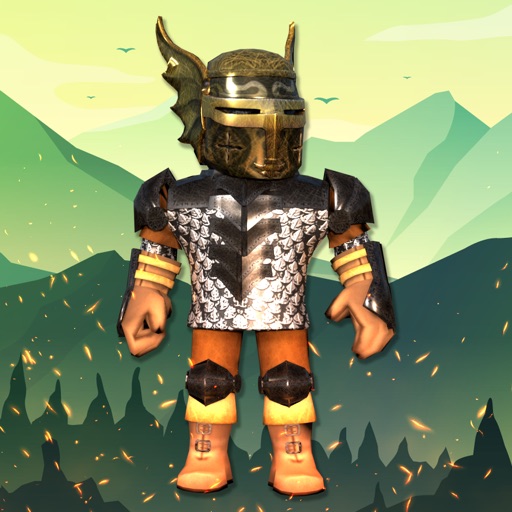
Customuse
Customuse is the most creator-focused listing in this group: it describes AI-generated skins, outfits, avatars, and game-ready 3D assets, plus a real 3D editor and publishing tools. The claim of over 2 million designers comes from the app description, not from the aggregate dataset, so it should be read as provider-reported context. Best for serious mobile creators who want more than a static skin gallery.

The first cluster shows why “free” is too blunt a label. Roblox itself is free with in-app purchases, while companion apps range from quizzes to 3D creation. Before installing, check the store page for the developer, rating count, purchase language, and whether the app actually creates something usable rather than simply displaying screenshots.
Android has the numbers; iOS has the official anchor
Android accounts for 28 of the 37 listings, while iOS has 9. That is roughly three Android listings for every iOS listing, so Android gives you more experiments to choose from. More listings do not mean better listings, though: the category average remains 2.73, and the dataset does not provide platform-level ratings to prove Android or iOS has higher-quality options.
Developer concentration is also limited. The top developer names include Roblox Corporation, LINIX PVT LTD, World Class Photo Editor, KULDEVI TEXTILE, and HONGKONG LDCLOUD INTERNATIONAL CO. LIMITED. Only Roblox Corporation is immediately recognizable as the official platform owner. The rest show how much of the companion-app space is filled by smaller or unrelated-sounding publishers, so developer identity deserves the same attention as the app title.
LDCloud
LDCloud is not a skin maker or code browser; it is a cloud-phone service listing with ads and in-app purchases. That makes it a category outlier, and the extra monetization matters because “free” does not describe the full usage cost. Best for advanced users who specifically understand cloud-phone tools, not beginners hunting for outfits or active codes.

Speed Keyboard Escape
This iOS listing is actually an endless-runner game built around a giant mechanical keyboard, speed upgrades, wins, and rebirth multipliers. It uses Roblox in the title, but it is not a conventional Roblox companion tool. Best for players who want a Roblox-themed mobile game and should be skipped by anyone searching for skins, codes, or avatar utilities.

Roblox
The official Roblox app is the reference point: it is free with in-app purchases, comes from Roblox Corporation, and shows a 4.4 rating from 7.1K ratings in the supplied App Store data. That review volume makes its score far more meaningful than a one-rating 5.0. Best for players who want the actual Roblox experience rather than an unverified companion promising Robux.

The platform split gives Android more variety, but the official Roblox app gives iOS users the strongest evidence base in the supplied listings: a named developer and thousands of ratings. The practical move is simple. Use companion apps for inspiration or editing ideas, but keep account access and purchases inside official Roblox channels.
Also watch the wording. “Earn Robux,” “Robux codes,” and similar titles can attract clicks without proving that any currency will be delivered. Roblox Corporation’s official Roblox website is the safer reference for account activity and platform information. Apple users can verify the official listing through the Roblox App Store page, while Android users should check the official Roblox Google Play listing before installing lookalikes.
What to do before downloading
- Start with the rating count, not just the score. A 5.0 from one rating tells you much less than 4.4 from 7.1K ratings.
- Assume free means free to install. The dataset has 37 free listings, but several explicitly include in-app purchases.
- Separate tools from games. Speed Keyboard Escape Roblox is a game, while Customuse is a creation platform and Robux codes explore for roblox is a quiz-and-tools app.
- Be suspicious of free Robux claims. None of the supplied descriptions proves that a companion app can generate or deliver Robux.
- Check the developer. Roblox Corporation is the official platform developer; unfamiliar publishers deserve extra scrutiny before account access or payment.
The cleanest picks from this dataset are Roblox for the real platform, Customuse for mobile 3D creation, and the skin-maker listings for outfit inspiration. Skip anything that asks for Roblox credentials, promises instant Robux, or hides its purchase terms behind a flashy title. The numbers point to one conclusion: this category is free to enter, but not free from bad apps.
For a deeper look at the skin-making side, continue with Roblox skin apps tested: which ones are actually useful? — it focuses on which avatar tools deserve more than a quick download.


