Lumari Crest is an independent mobile app comparison platform. We may earn a commission when you click through.
Roblox Companion Apps: Codes, Skins and the Ones to Skip
I tested 10 gaming apps and found only a few useful Roblox tools, from 20,000 skin combinations to code lists with real limits.
Quick picks before you download
Best Roblox skin maker: RBLX - Skin Maker for Roblox.
Best code-focused app: CodesHub - game codes for RBLX.
Most transparent Roblox code listing: Game Codes for Roblox.
Best-rated app in the wider gaming batch: Stumble Guys.
Quick reality check: none of these apps can legitimately generate free Robux. Apps promising that are asking for attention, installs, or worse. The useful ones stick to codes, cosmetic ideas, guides, or game performance tools.
Roblox codes: useful lists, questionable promises
The code apps were the most relevant group, but they were not equally convincing. A code list can save time; it cannot bypass Roblox systems or mint Robux. I paid attention to what each description actually promises instead of treating every reward claim as legit.
CodesHub
CodesHub is the cleanest match for a Roblox player who wants promo codes and game rewards in one place. The App Store listing labels it free with in-app purchases and rates it for ages 9 and up, but the available data does not confirm how often codes are checked or how many are active. That missing update history matters: dead codes are the main reason these apps become annoying fast. I would test it before paying for anything, and I would never enter Roblox login details into a third-party code app. Best for players who want a focused code reference rather than a fake Robux generator.

Game Codes for Roblox
Game Codes for Roblox has the strongest public proof in this group: 4.2 out of 5 from 4,860 reviews and more than 100,000 downloads on Google Play. That is not proof every code works, but it is more useful evidence than a description full of vague rewards. The developer is listed as Bowen Arrow, and no price is provided, so the free-to-install claim should not be confused with a promise of free Robux. Compared with CodesHub, this one has a much larger visible review sample, making it easier to judge before installing. Best for Android users who want a code app with enough reviews to spot recurring complaints.

Easy Gift
Easy Gift is not a Roblox code list in the narrow sense. It uses Gold or Chips earned through activities, daily Piggy Bank check-ins, and other options, then lets users exchange that balance for game codes, e-PINs, coupons, in-game items, store vouchers, or cash. That extra grind is the whole story. You are not entering a code and receiving Robux; you are spending time inside a rewards system with no stated payout rate in the supplied listing. I would skip it if your only goal is a quick Roblox reward. Best for patient Android users who are comfortable completing tasks and checking redemption conditions carefully.

GAME MOD
GAME MOD is more of a general gaming guide hub than a Roblox companion app. Its description mentions reviews, how-tos, tutorials, and resources for finding game mods, but it does not provide a Roblox-specific code catalogue, skin editor, or verified reward system. The word mod should also make you cautious: installing modified game files can create account and device risks, especially when a third-party app asks for downloads outside official stores. Compared with the dedicated code apps above, GAME MOD gives you broader gaming content but less direct Roblox value. Best for Android players who want general guides and know how to avoid suspicious APK links.

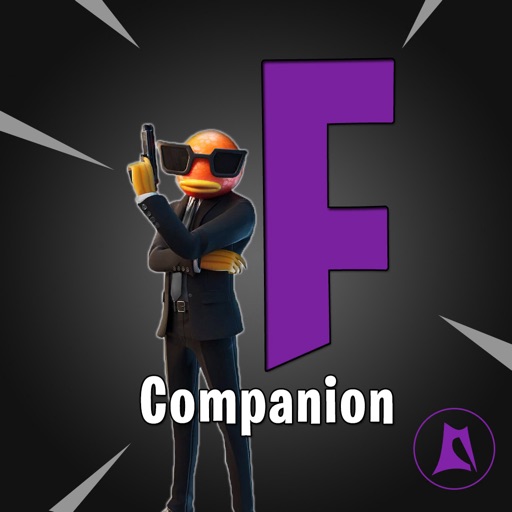
Companion for Fortnite
Companion for Fortnite is the wrong download for a Roblox player, even though its feature list is more developed than several apps here. It includes tips, an item shop, profile searches, stats, and support for Battle Royale and Save the World, with updates on launch according to the App Store description. None of that helps with Roblox codes or skins. I included it as a useful control pick: a real companion app usually names the game systems it tracks, while vague Roblox reward apps often avoid specifics. Best for Fortnite players, not Roblox fans.
The code category has one clear lesson: review volume and specific features beat flashy reward language. Game Codes for Roblox has the most useful public evidence, while Easy Gift asks you to treat rewards as a points grind. The Fortnite companion belongs in a different lane entirely, so do not install it just because the word companion appears in the title.
Skins and performance: the apps with something to show
Skin makers are safer territory because they can provide inspiration without pretending to create Robux. Performance tools are more technical, and their promises need a little skepticism: changing graphics settings may help on some devices, but no launcher can magically fix every lag spike.
Skin Maker for Roblox
RBLX - Skin Maker for Roblox is the most directly useful app in the whole list for avatar fans. Its description claims more than 20,000 skin combinations, a free skin simulator, and daily news and videos. The important distinction is that this is a simulator and design tool, not a Robux faucet; the listing does not say it uploads paid items to your Roblox account. That makes the promise believable, but you should still check exactly what the free version includes because the App Store page lists in-app purchases. Best for players who want to experiment with outfit combinations before spending Robux.

InkBlox Skin Maker
InkBlox focuses on making clothes for a Roblox avatar and has a strong visible rating: 4.8 from 105 App Store ratings. The sample is much smaller than Stumble Guys or Game Codes for Roblox, so I would treat the score as encouraging rather than definitive. It is free with in-app purchases and designed for iPad, which is a major limitation if you play mainly on an iPhone or Android phone. Compared with RBLX, InkBlox sounds more clothing-focused and less like a broad skin simulator. Best for iPad users who care about avatar outfit creation and want a highly rated starting point.

GFX Tool Launcher
GFX Tool Launcher & Optimizer is the practical pick for players dealing with unstable frame rates rather than hunting cosmetics. Its description lists resolution, FPS, shadows, rendering quality, and quick Performance, Balanced, Quality, and Ultra profiles, plus a built-in Game Booster. That sounds useful, but the supplied listing does not prove it supports Roblox specifically or that every setting works across iOS devices. I would start with Performance and change one setting at a time instead of expecting a miracle boost. Best for mobile gamers who understand graphics settings and want a general tuning tool.

Stumble Guys
Stumble Guys is not a Roblox companion app, but it is the only item here with major public traction: 4.7 out of 5 from roughly 6.93 million reviews and more than 100 million downloads, with Scopely listed as the developer. Those numbers show a polished standalone mobile game, not a Roblox utility. I would not download it for codes, skins, or Robux; I would pick it only if you want a separate obstacle-racing game with a huge player base. Best for Roblox fans who also want a proven casual multiplayer game.

Tracker for Fortnite
Tracker for Fortnite belongs with the performance and companion tools only as a comparison point. The App Store listing presents it as a free iPad app with in-app purchases, covering stats, emotes, challenges, and more, but it is built around Fortnite rather than Roblox. That makes its purpose clearer than many generic code apps, yet its platform focus is narrow: the page says designed for iPad and not verified for macOS. Best for Fortnite players tracking challenges and cosmetics, not anyone searching for Roblox skins.

RBLX and InkBlox are the only two picks here that directly match the Roblox skin niche. RBLX has the larger advertised design library, while InkBlox has the stronger rating but a smaller review sample and an iPad-first limitation. The remaining apps prove a useful point: a high rating or a polished feature list does not make an app relevant to Roblox.
Who should pick what?
- Want Roblox skins without pretending to get free Robux? Pick RBLX - Skin Maker for Roblox. Its advertised 20,000 combinations make it the most useful creative tool here.
- Need a code reference on Android? Start with Game Codes for Roblox because its 4.2 rating, 4,860 reviews, and 100K-plus downloads give you more public evidence than most alternatives.
- Use an iPad and care about clothing design? InkBlox has a 4.8 rating from 105 ratings, but the smaller sample means you should test the free version before paying.
- Want rewards from tasks rather than a direct code list? Easy Gift is the only relevant pick with a Gold-and-Chips redemption system. Expect a grind, not instant Robux.
- Trying to fix mobile lag? GFX Tool Launcher & Optimizer is the only app here aimed at resolution, FPS, shadows, and rendering controls. Its Roblox compatibility is not confirmed in the supplied listing.
- See a free Robux generator? Skip it. None of the listed apps proves it can generate Robux, and Roblox login details should stay inside official Roblox systems.
My honest favorite is RBLX - Skin Maker for Roblox because it makes a believable promise and stays in the creative lane. For active codes, Game Codes for Roblox has the better evidence trail. The rest are either broader gaming tools, Fortnite-only apps, or reward systems that demand more time than the headline suggests.


