Lumari Crest is an independent mobile app comparison platform. We may earn a commission when you click through.
Roblox companion apps: creator tools vs skin catalogues
Customuse leads for real avatar creation, while Roblox remains the safest hub for play, purchases, and account security.
Quick Picks
Best overall creator tool: Customuse: Skins Maker Roblox, because it combines text-to-3D creation with a real editor.
Best for browsing outfit ideas: RBLX - Skin Maker for Roblox, with more than 20,000 combinations.
Safest all-purpose pick: Roblox, the official app with 296,000 ratings and a 4.4 score on the KZ App Store.
Most of these companion apps make skins, preview outfits, or list codes. They do not magically generate Robux, and none should receive your Roblox password. That distinction matters more than a flashy icon.
Real creation tools, not just outfit galleries
The useful split is simple: some apps help you make something, while others mostly let you browse. Customuse and Skinzy sit closest to actual editing. RBLX adds a huge catalogue, but its description leans more toward simulation and inspiration than publishing a finished asset.
Customuse
Customuse is the strongest creator pick here because it turns a text prompt into Roblox or Minecraft skins, outfits, avatars, and game-ready 3D assets, then lets you refine them in a 3D editor on your phone. The listing says more than 2 million designers use the platform, which gives it a much bigger creator ecosystem than the smaller skin galleries. The catch is that AI output still needs editing; a prompt can get you a starting shape, not a guaranteed publish-ready item. Pick this if you want to design original avatar gear rather than scroll through premade looks.

Skinzy
Skinzy keeps the workflow more focused than Customuse. Its listed tools include cropping, live customization, and a full 3D preview, so you can check how a design wraps around the avatar before committing to it. That makes it easier for beginners who do not want AI generation or a broader multi-platform studio. It does not claim a large creator community or text-to-3D workflow, so advanced users may find it narrower. Choose it for hands-on skin editing and quick visual checks.

Skin Maker for Roblox
RBLX - Skin Maker for Roblox is built around volume: the listing promises more than 20,000 skin combinations, a free skin simulator, and daily news and videos. That is useful for outfit hunting, but it is a different product from Customuse or Skinzy. You get a large idea bank rather than the clearest evidence of a serious publishing pipeline. I would use it to test styles and collect inspiration, then move to a real editor for custom work. It is available through the App Store listing, while Customuse and Skinzy are listed on Google Play.

Customuse wins the creation round, but its AI angle is not automatically better for every player. If you only need a quick outfit concept, a large catalogue can be faster than building from a prompt. That is where the gallery-first apps enter the comparison.
Outfit browsing: useful inspiration, limited delivery
Several listings promise clothes, skins, accessories, or outfit IDs. Read those claims carefully. A companion app can show a design or code, but Roblox still controls what is available, wearable, or publishable inside the platform.
Outfit ID Codes
Outfit ID codes for Roblox has the clearest use case in this group: browse shirts, hairstyles, T-shirts, accessories, and faces, then enter an outfit code in-game. That makes it quicker than a full editor when you want a look now. The important limitation is that an ID is not the same as free Robux or permanent access; codes can stop working, and the listing does not promise account credits. Pick this for fast outfit experiments, not currency claims.

Clothes and Skins
Clothes and Skins for Roblox focuses on style discovery, with a library covering aesthetic outfits, streetwear, preppy looks, fantasy characters, accessories, and 3D bundle animations. Compared with Outfit ID codes, it sounds better for browsing themes than entering a specific code. The listing gives no price, rating, or confirmed publishing details, so treat it as an inspiration catalogue rather than a direct Roblox inventory tool. It suits players who want outfit ideas before opening the official game.

Clothes & Skin
Clothes & Skin for Roblox has one concrete traction signal that the other small catalogues do not: the listing reports 500,000-plus downloads. That does not prove quality, but it makes the app easier to justify as a discovery tool than an unknown gallery with no usage figure. The description provides no feature detail beyond its name and developer, PGs Aapps, so expectations should stay low. Use it for browsing only, and skip any screen that asks for Roblox login details.

Boys Skins
Boys Skins for Roblox+ + is the narrowest catalogue in the comparison, aimed at boys' avatar skins and listed as free with in-app purchases on the App Store. It is available for iPad and carries a 4+ age rating, but the listing does not show a rating count or explain how its skins move into Roblox. That makes it less flexible than RBLX's 20,000 combinations and less hands-on than Skinzy. Pick it only if its specific style library matches what you want; otherwise, skip the extra purchase prompts.
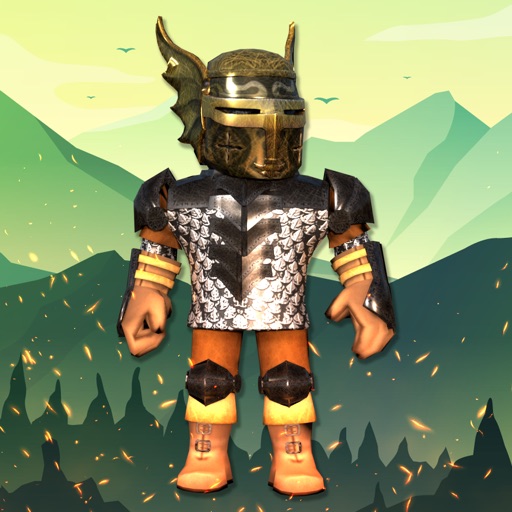
The surprising pattern is that the apps with the loudest “free skins” wording provide the least evidence about actual Roblox transfer. The official Roblox website remains the place to verify account activity, purchases, and platform rules. Never enter your password into a third-party skin catalogue, even if it promises free Robux.
Gallery apps can still be fun, but their value is visual: inspiration, previews, and sometimes outfit codes. They are not Robux generators. Roblox’s official App Store listing identifies the developer as Roblox Corporation and shows the app as free with in-app purchases, which is a much clearer ownership signal than an unofficial catalogue.
The official app is still the account-safe baseline
Third-party tools are useful around Roblox, not instead of it. The official app is the only item here that directly covers playing millions of games, account access, and in-app purchases under Roblox Corporation's name.
Roblox
Roblox itself is not a skin maker, but it is the control point every companion app eventually leads back to. The KZ App Store listing shows 296,000 ratings, a 4.4 score, a 13+ age rating, and free installation with in-app purchases. Compared with unofficial galleries, that gives you a clearer route for games, avatar items, and account management. It is the pick for players who care more about safe access than experimenting with third-party tools.

That official status also exposes the weakness of the smaller apps: none of the supplied listings provides app size, permissions, or a verified Roblox partnership. Check those details on the relevant store page before installing, and avoid apps that request contacts, unnecessary location access, or account credentials.
Simple verdicts for different Roblox players
Building original skins on Android: choose Customuse if you want AI prompts, 3D assets, and a phone-based editor. Editing a design manually: Skinzy is the cleaner fit because cropping and 3D preview are its core features. Browsing thousands of looks: RBLX offers the clearest catalogue claim with more than 20,000 combinations. Trying outfit codes: Outfit ID codes for Roblox is the most direct route, but treat codes as temporary experiments, not free Robux.
Want the safest account hub: use the official Roblox app. Browsing style inspiration only: Clothes and Skins for Roblox or the 500,000-plus-download Clothes & Skin for Roblox can fill that role, while Boys Skins for Roblox+ + is too narrow unless its catalogue matches your style.
My short version: Customuse is the only app here that feels like a genuine creation platform. Roblox is the only essential install. The rest are optional browsing tools, and any promise of free Robux deserves an immediate skip.
For a tighter breakdown of which skin tools are actually useful, continue with Roblox skin apps: which ones are actually worth using?.