Lumari Crest is an independent mobile app comparison platform. We may earn a commission when you click through.
Roblox Skin Apps: Which Ones Actually Work?
Nine Roblox companion apps promise skins, editors, or Robux tips. Here are the useful tools, the weak clones, and the claims to skip.
Quick Picks
Best overall creator: Customuse: Skins Maker Roblox.
Best for quick outfit browsing: Clothes and Skins for Roblox.
Best for 3D previews: Skinzy: Skin Editor for Roblox.
Skip the Robux promise: Robux codes explore for roblox is a quiz-and-tips app, not a Robux generator.
The short version: skin editors can help you plan an avatar, but none of these listings proves it can create free Robux. Roblox avatar items still belong inside Roblox’s own ecosystem. The official Roblox Avatar Shop is the place to verify what is actually available.
Editors That Do More Than Show Outfit Pictures
The useful split is simple: some apps let you create or preview designs, while others mostly act as inspiration galleries. Customuse, Skinzy, RBLX, and the newer Clothes Skin app belong in the first group, although their depth varies a lot.
One thing changed in this category: AI creation is now part of the pitch. That sounds flashy, but the real test is whether you can refine the result instead of accepting a random generated look.
Customuse
Customuse is the most capable pick in this list because it combines text-to-skin generation with a real 3D editor. The listing says it supports Roblox, Minecraft, avatars, outfits, accessories, and game-ready 3D assets, with more than 2 million designers using the platform. That gives it a much wider scope than a basic outfit gallery. The catch is complexity: AI output is only a starting point, and publishing or refining designs may take more patience than scrolling through presets. Best for Roblox creators who want to build original looks from prompts and then edit them instead of copying a template.

Skinzy
Skinzy keeps the workflow more focused than Customuse. Its listing names an advanced crop tool and a full 3D preview, so you can adjust a pattern and see how it sits on an avatar before committing to the design. There is no AI claim or creator-community number here, which makes the pitch less ambitious but also easier to understand. Choose this over Customuse if you mainly want manual editing and live preview rather than a multi-platform creation hub. It is a practical fit for players who already have an image or pattern and need to crop it cleanly.

Skin Maker for Roblox
RBLX - Skin Maker for Roblox leans heavily on quantity: the listing claims more than 20,000 skin combinations, plus a free skin simulator, daily news, and videos. That is plenty for experimenting, but a huge combination count does not automatically mean high-quality designs. Compared with Skinzy, this feels more like a sandbox and content feed than a precision editor. Best for younger Roblox fans who want fast avatar variations and community-style browsing, not creators searching for serious export controls.

Clothes Skin
Clothes Skin for Roblox is one of the few listings that clearly says it is unofficial and not affiliated with Roblox Corporation. It focuses on creating 3D skins, outfits, shirts, skirts, shorts, jackets, and other custom clothing, while framing itself as a discovery tool for free items. That disclosure matters because it sets a more honest expectation than a vague Robux-heavy title. Compared with RBLX, the description gives more detail about clothing types but less evidence about the size of its library or editor. Best for Android users who want a straightforward unofficial clothing workshop and understand that previewing an item is not the same as receiving it in Roblox.

Customuse wins on creator depth, while Skinzy is easier to approach. RBLX brings volume, and the unofficial Clothes Skin app is clearer about its status. None should be treated as a shortcut to free Robux. That claim is the first filter I use with any Roblox companion app.
Outfit Libraries and Fast Avatar Inspiration
Not everyone wants to edit textures pixel by pixel. Sometimes you just want to browse a hoodie, fantasy outfit, or clean streetwear combo and decide what direction to take. The next group is built around that faster loop.
Clothes and Skins
Clothes and Skins for Roblox is built for browsing: its description lists aesthetic outfits, trending shirts, hoodies, accessories, 3D bundle animations, streetwear, preppy looks, and fantasy characters. That is a broader style menu than the more editor-focused apps above. The downside is equally obvious: the listing sells inspiration, not a verified path to ownership, and it gives no price or rating data in the supplied description. Best for players who need outfit ideas quickly and plan to check the final item inside Roblox before spending anything.

3D Skins Maker for Roblox
3D Skins Maker for Roblox also targets browsing, with boys’ and girls’ outfits, superhero-style looks, anime-inspired characters, and trendy avatar ideas. The 3D angle makes it more visually focused than a flat clothing catalog, but the listing does not provide a rating, price, or install count to prove how polished the experience is. Compared with Clothes and Skins for Roblox, it sounds narrower in style language but stronger on the 3D presentation. Best for players who want to preview a character concept before rebuilding it in Roblox.

These two are idea generators, not verified item stores. I would use them for moodboarding, then search the official Roblox catalog rather than trusting any button promising instant delivery. That extra check is boring, but it prevents the classic companion-app disappointment: a cool preview that never becomes an actual avatar item.
iPad and iPhone Picks: Useful, but Read the Fine Print
Apple’s listings reveal a detail Android descriptions often hide: both Boys Skins for Roblox+ + and Clothes Skin For Roblox are free to download but include in-app purchases. That does not tell you the purchase amount, so the free label needs an asterisk.
Boys Skins
Boys Skins for Roblox+ + is an iPad-focused entertainment app with a 4+ age rating, a free download, and in-app purchases. The supplied App Store listing gives it a simple pitch—Robux game skins for Roblox—but not enough detail about editing tools, skin counts, ratings, or purchase prices. That missing information is the reason I would rank it below Customuse and Skinzy. Best for iPad users who only want to browse boy-avatar skin ideas, provided they ignore any implication that a companion app can generate Robux.
Clothes Skin
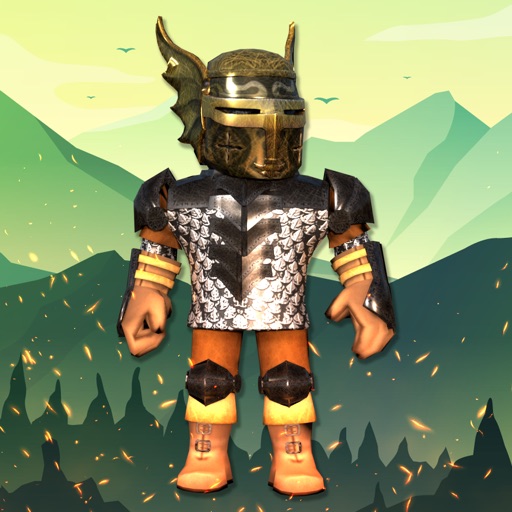
Clothes Skin For Roblox has one concrete trust signal that the boys-skins listing lacks: 4.4 stars from 8 ratings on the supplied App Store page. That is a small sample, so it is not enough to call the app proven, but it is still more useful than having no rating data at all. The app is free with in-app purchases, designed for iPad, and focused on editing and customizing avatars. Best for iPad players who want a simple customization tool and are comfortable treating the 4.4 rating as an early signal rather than a final verdict.

The 4.4 rating gives Clothes Skin For Roblox the edge on paper, but eight ratings is a tiny sample. Boys Skins for Roblox+ + has even less evidence in the supplied listing. For Apple users, I would test the free layer first and avoid paying until the app clearly explains what the purchase unlocks.
Robux Claims: The Category to Treat With Suspicion
Robux codes and free-Robux language pull clicks, but this is where companion apps most often blur entertainment with rewards. The listed Robux app describes quizzes, currency conversion tools, gameplay tips, and Roblox knowledge tests. Those are utility features; they are not proof of free currency.
Robux Codes
Robux codes explore for roblox is the one I would approach most cautiously. Its description promises quizzes, tips, currency conversion tools, and gameplay advice, but it does not describe a verified code redemption system or a direct Robux payout. That distinction matters: a conversion calculator can be useful, while a title built around Robux codes may make users expect something the feature list does not deliver. Best for players who want trivia and basic Roblox tips, not anyone expecting free Robux. Skip it if the app asks for a Roblox password, cookie, or suspicious account access.

Final Verdict
Customuse is the pick for serious avatar creators because it combines AI generation, a 3D editor, and support for multiple asset types. Skinzy makes more sense for beginners who want cropping and a full 3D preview without the extra platform features. Choose Clothes and Skins for Roblox or 3D Skins Maker when you need outfit inspiration, not a full editor.
Apple users can try Clothes Skin For Roblox, but remember that its 4.4 rating comes from only eight ratings and the app includes in-app purchases. The Robux app gets a pass only as a quiz-and-tips tool. No listing here proves free Robux, and any app requesting your Roblox login should be deleted immediately.
| App | Platform | Strongest feature | Best for | Watch out for |
|---|---|---|---|---|
| Customuse | Android | AI plus 3D editing | Creators building original assets | More complex workflow |
| Skinzy | Android | Crop tool and 3D preview | Manual skin editing | Less evidence about pricing and popularity |
| RBLX - Skin Maker | iOS | 20,000+ combinations claimed | Fast experimentation | Large library does not prove quality |
| Clothes and Skins | Android | Broad outfit library | Style inspiration | Verify items in Roblox |
| Clothes Skin For Roblox | iOS | 4.4 rating from 8 ratings | iPad avatar customization | In-app purchases and tiny rating sample |
| Robux codes explore | iOS | Quizzes and tips | Roblox trivia | No proof of free Robux |
Want more than outfit browsing? Continue with Roblox Apps for Avatar Creators Who Want Real Tools for a deeper look at creation-focused companion apps.


