Lumari Crest is an independent mobile app comparison platform. We may earn a commission when you click through.
Roblox Skin Makers Tested: Which Apps Are Actually Useful
I compared 10 Roblox companion apps across skin editing, outfit ideas, and code tools. Only a few avoid empty Robux promises.
My top pick is Skinzy: Skin Editor for Roblox because it offers actual editing tools instead of just dumping outfit pictures into a feed. The 3D preview, crop controls, and live customization make it more useful than most of the skin catalog apps here. Roblox itself remains the safest place to play and manage your avatar, but companion apps can help when you need outfit inspiration or want to build a design before using it in-game.
I tested the 10 listings by asking one question: does the app help you create or choose a Roblox look, or does it just wave around vague “free Robux” language? The surprising part was how many apps promise huge collections without showing much evidence of depth. Ratings also need context: Skinator has 4.5 stars from only 4 ratings, while the official Roblox app has 4.3 stars from 76,000 ratings. That is not a fair head-to-head score.
Actual creation tools, not just outfit galleries
The strongest apps in this group give you something to do: edit, crop, preview, or build. That matters because a catalog can inspire you, but it cannot replace a proper design workflow.
Skinzy
Skinzy is the most useful app in the lineup for hands-on design. Its advanced crop tool and full 3D preview are specific features, not vague promises about “epic skins.” You can adjust a pattern, preview the result on an avatar, and spot a bad fit before wasting time in Roblox. The listing does not provide a price, app size, permissions, or user rating, so the practical value is clear but the privacy and free-tier picture is incomplete. Best for Roblox players who already have a design idea and want to test how it looks in 3D before committing.

Skinator
Skinator follows the same creator-first route, with the App Store subtitle “Skin Maker & Clothes Editor.” Compared with Skinzy, it has one visible advantage: a 4.5-star rating. The problem is the sample size—only 4 ratings—so that score is too thin to treat as proof of quality. It is free with in-app purchases and designed for iPad, but the listing does not confirm iPhone support, app size, permissions, or what the paid tools unlock. Best for iPad users who want a simple clothes editor and are willing to judge the app themselves rather than trust a tiny rating count.

Clothes for Skins Maker
Clothes for Roblox Skins Maker is a more basic design pick. Its promise is straightforward—create Roblox outfits—but the available listing gives no feature breakdown beyond “Design & Impress Roblox outfit.” It is free with in-app purchases and designed for iPad, with no macOS verification. That makes it less convincing than Skinzy, whose crop and 3D preview tools are clearly described. Still, the low 4+ age rating and simple positioning may suit younger players who want outfit experimentation without a complicated editor. Best for casual iPad users who want to play with clothing ideas and do not need advanced controls.

Skinzy wins this cluster because its feature list explains how the app helps. Skinator has the stronger visible rating, but four reviews cannot carry much weight. Clothes for Roblox Skins Maker is the simplest of the three, yet its listing leaves too many questions about what the free version actually includes.
That difference—clear tools versus broad marketing—shows up even more in the outfit catalog apps.
Outfit inspiration and code shortcuts
These apps are less about drawing from scratch and more about finding a look quickly. That can save time, but outfit IDs and catalog images are not the same as free Robux, and none of these listings should be treated as a Robux generator.
Outfit ID Codes
Outfit ID codes for Roblox is the clearest shortcut app in the group. Its description names shirts, hairstyles, T-shirts, accessories, and faces, then explains the basic flow: find an outfit and enter its code in Roblox. That is more actionable than a generic promise of “trending skins.” The limitation is obvious: an ID catalog depends on codes remaining usable, and the listing does not show update frequency, rating, price, or platform details beyond its App Store placement. Best for players who want to copy a complete look quickly instead of designing every item themselves.

3D Skins Maker for Roblox
3D Skins Maker for Roblox leans hard into discovery, with boys’ and girls’ outfits, superhero-style looks, anime-inspired designs, and trend-focused collections in its description. That gives it broader browsing appeal than the more focused Outfit ID app, but the listing does not explain how designs move from the companion app into Roblox. “Free” also needs checking inside the app because no price details or purchase limits are provided. Best for players who want lots of visual outfit ideas and care more about browsing than precise editing.

Clothes and Skins
Clothes and Skins for Roblox covers the widest catalog language here: shirts, jackets, hoodies, pants, shorts, full costumes, accessories, and animations. That range sounds useful, but it is also generic; the listing does not provide a rating, price, update schedule, or evidence that every item is available in Roblox. Compared with Outfit ID codes, it gives less detail about the actual workflow. Best for players who want a broad style feed for outfit ideas and are comfortable checking each item inside Roblox before getting excited.

Clothes Skins
Clothes Skins for Roblox is another catalog-and-maker hybrid, with separate boy and girl clothing plus pants and shirts. Its App Store listing shows free access with in-app purchases and a 5.0 rating from only 2 ratings. That score tells you almost nothing about reliability, and the app is designed for iPad rather than verified for macOS. Compared with the broader Android catalog apps, it may feel more focused, but the public listing does not reveal enough about editing depth or free limits. Best for iPad users who want basic shirt and pants ideas and will not mistake a two-rating score for a proven track record.

Outfit ID codes is my pick for speed because it explains the code-based workflow. The other three are better treated as inspiration boards until you confirm that an item or code still works. That is the key reality with Roblox companion apps: a screenshot can look fresh while the linked outfit is unavailable, changed, or simply not transferable the way the description suggests.
For the official game and account safety, use the official Roblox website and the Roblox App Store listing rather than entering login details into an unverified companion app.
The official app and the apps I would approach carefully
One app here is not really a companion app at all. That is a feature, not a flaw. The remaining listings deserve more skepticism because their names and descriptions lean close to the “free Robux” clickbait zone.
Roblox
Roblox is the control center, not an outfit helper, and that distinction matters. The App Store listing shows 4.3 stars from 76,000 ratings, a 13+ age rating, free installation, and in-app purchases. It is the only app here with a large enough rating base to give the score real context, and it is the place to play millions of games, manage the avatar, and verify whether an outfit actually exists. It will not replace a dedicated editor like Skinzy, but it should be the final checkpoint before you trust any code, skin, or accessory claim. Best for every Roblox player who wants the legitimate game and a safe place to verify companion-app promises.

Boys Skins
Boys Skins for Roblox+ + is the weakest listing for evidence. Its subtitle says “Robux Game Skins for Roblox,” while the App Store shows a 5.0 rating from just 1 rating and free access with in-app purchases. That combination is a red flag for inflated expectations: skins are not Robux, and one rating cannot prove that the catalog works. The listing also does not explain editing tools, code updates, permissions, or how anything transfers into Roblox. Best for curious players who want to browse, but skip it if the wording makes you expect free Robux or account rewards.
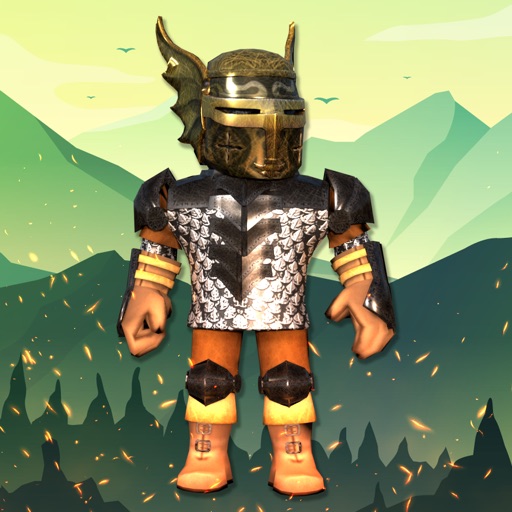
The official Roblox app is the one I would keep installed even if every companion app disappeared tomorrow. Boys Skins for Roblox+ + is exactly the kind of listing that needs a reality check: a tiny rating sample and Robux-adjacent wording are not proof of value. Never enter your Roblox password into a skin catalog, code app, or “generator.” Companion apps should help you browse or design, not request account access.
My final picks
Pick Skinzy if you are a creative Roblox player who wants a real editor, crop controls, and a 3D preview. Pick Outfit ID codes for Roblox if you want to find a complete look quickly and test the code in-game. Pick Roblox itself if safety, gameplay, and avatar verification matter more than browsing extra outfit feeds.
iPad users can try Skinator or Clothes for Roblox Skins Maker, but the public listings leave more unanswered questions than Skinzy. Android users get broader catalog coverage from 3D Skins Maker and Clothes and Skins for Roblox, though neither listing proves that every advertised item is usable.
My honest favorite is Skinzy. It does not promise magic Robux, and its feature list describes an actual workflow. For the bigger myths around “free skins,” generators, and impossible Robux claims, read Roblox Skin App Myths That Need to Be Deleted before installing another companion app.


