Lumari Crest is an independent mobile app comparison platform. We may earn a commission when you click through.
Roblox skins: catalogues vs editors, which app wins?
Four catalogue apps, five editors, and one official app compared on platform support, creation tools, Robux claims, and real usefulness.
Quick picks before you download
Best for Android outfit browsing: Clothes and Skins for Roblox.
Best for iPad users who want a rating: Clothes Skin For Roblox.
Best creator tool: Skinzy: Skin Editor for Roblox.
Official Roblox access: Roblox.
You’re choosing between skin catalogues and actual editors. Here’s what matters: none of the listed companion apps proves it can grant free Robux, and several explicitly say they are unofficial. Treat outfit inspiration as the product, not the Robux promise.
Catalogues: fast inspiration, limited proof
The first four apps focus on browsing outfits rather than showing a clear creation workflow. That makes them useful for style hunting, but you should not confuse a lookbook with a tool that uploads clothing to Roblox.
Clothes and Skins
The description covers skins, outfits, shirts, jackets, hoodies, pants, shorts, full costumes, and accessories, so this is the widest Android catalogue in the group. It is useful when you want quick outfit ideas, but the listing does not mention a 3D editor, Roblox account connection, or direct publishing. Best for Android players collecting avatar inspiration without chasing free Robux claims.

Boys Skins
This one is built around boys’ skins and is available on iPhone and iPad, with in-app purchases and a 4+ rating. Compared with the broader Android catalogue above, its audience is narrower and the listing gives fewer concrete details about editing or preview tools. Best for iPad users who want a simple themed skin catalogue and are comfortable checking paid extras before tapping through.
Roblox Avatar Clothes & Skins
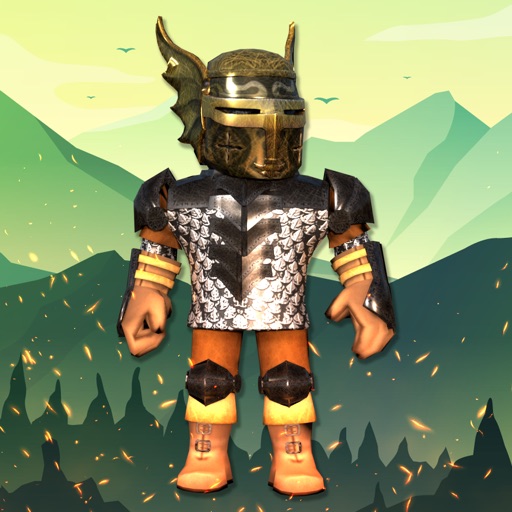
The range is more fashion-focused than the previous boys-only app: hairstyles, accessories, emotes, graphic tees, hoodies, pants, and character styles are all mentioned. The downside is the same catalogue problem—there is no stated export or upload path. Best for players building a visual outfit moodboard before recreating the look inside Roblox.

Clothes and Skins
Aesthetic outfits, streetwear, preppy looks, fantasy characters, accessories, and 3D bundle animations give this app a more trend-led pitch than the first catalogue. Still, the description promises discovery rather than verified Roblox inventory access. Best for players who care about style references and want more than basic shirts-and-pants browsing.

Catalogues win on instant browsing, but their descriptions stop short of proving that designs become usable Roblox items. The next group is more interesting because it actually talks about editing, textures, previews, or custom designs.
Editors: where the useful tools begin
Here, the question is simple: can you make something, or are you only scrolling? The strongest listings mention editing controls and previews. None should be treated as an official Roblox publishing shortcut unless the app clearly proves that workflow.
Clothes Skin
Unlike the catalogue apps, this Android tool explicitly mentions T-shirts, shirts, pants, textures, stickers, and simple editing controls. That is a clearer use case, although the listing also calls it a 3D skin creator without explaining Roblox upload or account integration. Best for beginners who want to experiment with clothing layouts and visual textures on mobile.

Clothes Skin
The iPad version has the only visible rating in this comparison: 4.6 from 12 ratings, plus free installation and in-app purchases. That score is encouraging but the sample is tiny, so it cannot compete with a mature review base. Best for iPad users who want avatar editing and prefer a listed rating over a completely untested catalogue.

Skinzy
Skinzy gives the clearest creator pitch: crop tools, design adjustment, and a full 3D preview of the avatar wearing the result. That beats the simple editor above for checking proportions before saving, though the listing does not state a price, upload route, or Roblox affiliation. Best for Android creators who care about previewing a custom design instead of merely collecting outfit references.

Roblox Skin & Clothes
This Android app says it creates shirts, skirts, shorts, jackets, and other self-made clothing, then openly labels itself unofficial and not affiliated with Roblox Corporation. That disclosure is a plus for honesty, but it also means you should not expect official Robux or inventory access. Best for players who want a fan-made clothing workspace and understand that creation is separate from publishing.

Clothes Skin
The feature pitch is close to the previous editor: self-made shirts, skirts, shorts, jackets, and other clothing, with an explicit unofficial-app warning. It offers less detail about tools than Skinzy, so I would rank it behind the crop-and-preview editor for serious design work. Best for Android users who want a basic fan-made clothing creator and do not need advanced preview details.

Skinzy takes the creator round because its crop controls and 3D preview are the most specific features in the data. The two unofficial clothing makers are still usable as concept tools, but their listings leave more unanswered questions about exporting and publishing.
The official app is the reality check
All the companion apps sit around Roblox; none replaces it. The official app is the only listing here with a massive usage signal: 4.2 out of 5 from 53.7 million reviews and more than 1 billion downloads.
Roblox
Roblox itself is not a skin editor comparison pick, but it is the destination that every companion app should be judged against. With a 4.2 rating from 53.7 million reviews and 1B+ downloads, it has vastly more evidence than any third-party listing here. Best for players who want the actual Roblox account, avatar, and game ecosystem rather than an unofficial catalogue or design sandbox.

Head-to-head snapshot
| App | Platform | Main use | What the listing proves |
|---|---|---|---|
| Clothes and Skins for Roblox | Android | Outfit catalogue | Skins, clothing, accessories |
| Boys Skins for Roblox+ + | iPhone/iPad | Themed catalogue | Free install, in-app purchases |
| Roblox Avatar Clothes & Skins | Android | Style inspiration | Clothes, hairstyles, emotes |
| Clothes and Skins for Roblox | Android | Trend catalogue | Streetwear, preppy, fantasy styles |
| Clothes skin for Roblox | Android | Basic creator | Textures, stickers, clothing editing |
| Clothes Skin For Roblox | iPad | Avatar editor | 4.6 from 12 ratings, in-app purchases |
| Skinzy | Android | Advanced editor | Crop tools and 3D preview |
| Roblox Skin & Clothes | Android | Unofficial creator | Self-made clothing, explicit disclaimer |
| Clothes Skin For Roblox | Android | Unofficial creator | Self-made clothing, explicit disclaimer |
| Roblox | Android | Official platform | 4.2/5, 53.7M reviews, 1B+ downloads |
The verdict: pick Skinzy if you want to create and preview designs on Android. Pick Clothes and Skins for Roblox if you only need outfit ideas. iPad users get a reasonable alternative in Clothes Skin For Roblox, but 12 ratings is too small to treat 4.6 as settled proof. Skip any app promising free Robux unless it provides verifiable official support; the supplied listings do not.
For the full split between making designs and browsing ready-made looks, read Roblox companion apps: creator tools vs skin catalogues.


