Lumari Crest is an independent mobile app comparison platform. We may earn a commission when you click through.
Skinzy vs RBX Wear: Which Roblox app actually helps?
Skinzy builds custom outfits with 3D previews, while RBX Wear focuses on outfit browsing. Neither app gives free Robux.
You're choosing between a Roblox skin editor and an outfit catalog. Here's what actually matters: Skinzy lets you crop, customize, and preview designs in 3D, while RBX Wear is built around browsing trending clothes, hairstyles, gear, and emotes. Neither app is a Robux generator, and any app promising unlimited free Robux deserves an instant skip.
The source listings also reveal a useful split: Skinzy is for making something, RBX Wear is for finding inspiration. I’d pick Skinzy for creators and RBX Wear for players who want a faster outfit hunt.
Quick picks
Best for creating skins: Skinzy: Skin Editor for Roblox
Best for browsing outfits: RBX Wear - Style & Skins
Best iPad experiment: AI Skin Maker for Roblox
Creator tools versus outfit catalogs
The main battle is simple: do you want to design a look or scroll through one? The three apps below cover those jobs, but they are not interchangeable. Their listings describe different workflows, and that difference matters more than flashy promises about “ultimate” avatar upgrades.
Skinzy
Skinzy is the more hands-on pick because its listing names an advanced crop tool and a full 3D preview. That means you can adjust a pattern and see how the design sits on an avatar before committing. Compared with RBX Wear, it gives you more control but also asks you to do more work. The listing does not show a price, free-tier limit, Robux payout, or iOS availability, so treat it as an Android-focused editor rather than a complete Roblox wardrobe system. Best for players who want to build custom designs and inspect them in 3D instead of copying a preset outfit.

RBX Wear
RBX Wear flips the formula: its description leans heavily on browsing trending shirts, pants, hairstyles, gear, and 3D emotes. That makes it quicker than Skinzy when you need outfit ideas, especially for streetwear, meme looks, or aesthetic styles. The downside is that the listing says little about actual editing controls, exporting, or Roblox account integration. It is also silent on price and permissions. Best for Android users who want a large inspiration catalog and do not want to design every item from scratch.

Clothes Skin
Clothes Skin For Roblox sits between the first two: the listing describes a mobile clothes maker with shirts, skirts, shorts, jackets, and self-made robes, plus a clear unofficial-app notice. That disclosure is a good sign for transparency, but the page does not provide a price, rating, platform details beyond Google Play, or evidence that designs transfer directly into Roblox. Compared with Skinzy, the toolset sounds less specific; compared with RBX Wear, it is more creation-focused. Best for Android players who want basic outfit-building ideas and understand that unofficial does not mean Roblox-integrated.

Clothes and Skins for Roblox
This app pitches custom clothes, skins, outfit discovery, and daily activities in one package, but the description stays broad. There is no named crop tool or 3D preview like Skinzy, and no clearly defined catalog categories as detailed as RBX Wear’s. That makes it harder to judge before installing. The word “endless” in the listing is marketing, not proof of unlimited usable items, and the page gives no price or Robux details. Best for Android users who want a general avatar-style hub and are willing to test the app carefully rather than expecting a focused editor.

Clothes & Skin
The only concrete metric here is 500K+ downloads, which makes this app more established than several similarly named alternatives in the list. The listing gives no feature breakdown beyond clothes and skins, so download volume is the evidence, not proof of better editing. It may be useful as a quick catalog, but there is no stated 3D preview, crop workflow, price, or privacy detail to match Skinzy’s specific feature claims. Best for Android players who value a larger install footprint and only need basic clothing inspiration.

Clothes Skin
This listing promises 3D Roblox skins and a broad wardrobe of shirts, skirts, shorts, and jackets, which puts it closer to Skinzy than to a pure outfit gallery. Still, the description repeats the unofficial-app warning and does not name editing controls, account linking, pricing, or export steps. That missing detail matters: a 3D preview sounds useful, but it is not the same as publishing a wearable item to Roblox. Best for Android users who want a visual skin maker and are comfortable treating the app as a companion tool, not an official Roblox editor.

Clothes Skin
This is effectively another version of the same Clothes Skin concept, with the same promise of 3D outfits and the same unofficial-app disclosure. That repetition is the problem: the listing does not show a unique feature that beats Skinzy’s named crop tool or RBX Wear’s clearer catalog categories. I would not install multiple near-identical apps just to chase slightly different outfit thumbnails. Best for Android players who already know this specific listing and want a second skin-catalog app, not for first-time users comparing features.

That first group makes the trade-off obvious. Skinzy gives the clearest editing workflow, RBX Wear gives the clearest browsing workflow, and the lookalike catalog apps provide less detail before installation. The unofficial labels are not automatic red flags, but they do mean you should never enter a Roblox password or expect direct Robux delivery.
iPad tools and the Robux bait problem
Apple users get a different pair of apps, but the same rule applies: avatar inspiration is not currency generation. The listings mention in-app purchases, so “free” means free to install, not necessarily free to use without limits.

AI Skin Maker for Roblox
AI Skin Maker for Roblox has the strongest visible rating data in the set: 4.5 stars from 16 ratings on the App Store. That is encouraging, but 16 ratings is a tiny sample, so it cannot compete with broad user evidence. The listing says free with in-app purchases and designed for iPad, while macOS support is not verified. Its title mentions earning Robux, but the available data does not prove that it can generate or award Robux; assume it cannot. Best for iPad users who want to experiment with AI-assisted avatar concepts and are happy to inspect purchase terms before using premium tools.

Boys Skins
Boys Skins for Roblox+ + is also free with in-app purchases and designed for iPad, but its listing provides far less detail than the AI app: no rating count, no named editor, no 3D preview, and no clear catalog size. The subtitle references Robux game skins, which is exactly the kind of wording that can blur the line between cosmetic ideas and actual currency. I would choose it only for quick browsing, not for creation or Robux claims. Best for iPad users who want simple outfit inspiration and do not need editing controls.
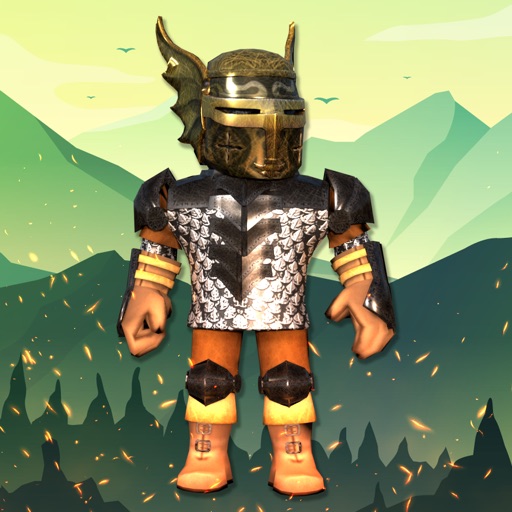
Clothes and Skins
This app covers trending skins, shirts, jackets, hoodies, pants, shorts, costumes, accessories, and animations, so its catalog pitch is broader than the iPad-only browsing app. It still does not state a price, rating, export method, or official Roblox connection. Compared with RBX Wear, the category list is more detailed but the proof is thinner. Best for Android users who want to browse many outfit types in one place and can ignore the usual “upgrade your avatar” hype unless the app shows real, usable tools.

The iPad apps are more transparent about in-app purchases than the Android listings, but transparency is not the same as value. A 4.5-star score from 16 ratings is a useful signal, not a verdict. For most players, Skinzy remains the smarter starting point because its crop tool and 3D preview are concrete features rather than vague promises.
What actually matters before you install
Robux claims: None of the supplied listings proves that an app can generate or award Robux. Roblox cosmetics and Robux are separate things. Never enter account credentials into an unofficial companion app.
Platform: Skinzy and most catalog apps appear on Google Play. AI Skin Maker and Boys Skins are listed for iPad. Check the store page on your own device before downloading because the supplied data does not provide app sizes or permission lists.
Free access: The two iPad listings explicitly say free with in-app purchases. The Android listings provide no pricing details, so do not assume every feature is unlocked.
Realistic expectations: A preview or catalog can help you plan an avatar. It does not automatically publish clothing to Roblox, add items to your inventory, or create currency.
The verdict
Pick Skinzy if you are an Android Roblox player who wants to create designs, adjust patterns, and inspect the result in a 3D preview. It has the clearest feature set in the supplied data, even though the listing does not reveal pricing, app size, permissions, or direct Roblox publishing.
Pick RBX Wear if you care more about scrolling through outfit ideas, hairstyles, gear, and emotes than building skins from scratch. Its catalog pitch is easier for beginners, but it lacks Skinzy’s named editing tools.
iPad users can test AI Skin Maker, especially with its 4.5-star rating, but remember that the rating comes from only 16 reviews and the app includes in-app purchases. Skip every app that implies free Robux without showing a legitimate Roblox process. For a wider look at mobile skin tools, continue with Roblox skins sur mobile : quelles apps valent le détour.


